 KOSKOGY
Find my track.
Running tracks. Nearby.
Find a place to put in the work.
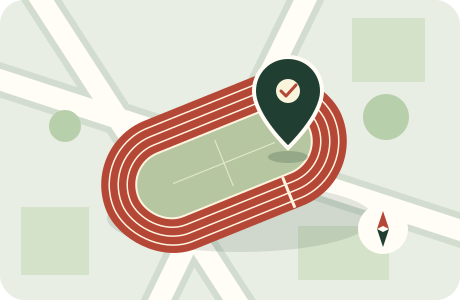
Find your next starting line.
We’re working on reliable nearby track search and directions. This feature isn’t available yet.
Check back for a future update.
Make your training yours.
Create a free account to save your progress across devices and connect with friends and teammates.
Choose a username and password. No payment needed. You can also explore as a guest.
Join your team
Enter the code from your coach to see your practice schedule.
Today’s workout
Coach’s next workout
TODAYLast session
Friends’ activity
On your watch: Connection & sync → Coach’s workout.
Your team schedule
Your full weekly schedule, team videos and feedback live in Community.
Coach feedback
VIDEOSUpcoming workouts
Sign in to see planned sessions.
Team practice
Your team
Plan a workout
My watch workouts
Your personal watch uploads, separate from your athletes’ results. Uploading here does not share them with your team.
Checking your watch uploads…
Progress
Your achievements
Small wins. Work that adds up.
Training journal
Personal records
Weekly sprint volume
Last 6 weeksTotal logged meters per week, including tempo. This is training volume, not a readiness score.
Tap a point to see your reps. Best rep time is shown by default; lower is faster.
Review workout
Fastest Average
| Rep | Time | Recovery |
|---|
Add a note
Record workout
Ready for rep 1
Recovery target · 3:00
After you agree to friend sharing, new workouts appear in accepted friends’ feeds. Notes and GPS stay private.
Phone timer · hand timed · keep the app open.
Saved workout templates
Reuse a workout setup. Templates sync to your account; completed times are never copied.
Import a watch workout
Already recorded on Garmin or Apple Watch? Import your workout file.
Automatic watch syncing is in development.
Track tools Stopwatch · recovery · targets
Tools for your next rep.
Time your efforts, manage recovery, and set a target.
Stopwatch
MANUAL TIMINGManual stopwatch times are approximate. Keep them separate from fully automatic race times.
Rest timer
Recovery target · 3:00
Keep this page open to see the timer. Your device may suspend notifications in the background.
Target time calculator
For the same distance: best time ÷ speed fraction. A pace guide, not a prediction for another distance.
THE CLOCK TELLS
PART OF THE STORY.
Log your surface, timing method, wind, and how the session felt. Better context makes your progress easier to understand.
Your athletes.
Roster, shared results, and feedback.
Your community.
Teams, friends, and sessions together.
Find a friend
Once a friend request is accepted, new workouts appear in each other’s feeds after each person agrees to friend sharing. Select Keep to myself for any workout you want private. Older workouts keep their existing visibility. Notes and GPS stay private.
Friends feed
Teams.
Share selected workouts with your coach. Your journal stays yours.
Create or join a team
Join a team
Enter your coach’s code below, or search by team name.
Joining shares your name, username, and photo with your coach; your workout history stays private. Only your coach sees workouts you choose to share.
Create a team
Free during beta · No payment details needed
Your team and coach name appear in team search. Athletes need your code to join. You can change it later in Team settings.
Your teams
Join a session
Joining reveals your profile to the host. The host receives results only when you submit a finished workout or choose a host in Record and tap Finish & save. No results are shared during reps or recovery. Participants who are accepted friends can see friend-visible workouts. GPS routes and notes stay private.
Host a session
Your sessions
Find my track
Nearby tracks and directions
Profile
Your profile
Your name and photo appear to friends and coaches where you connect or share. Your username stays the same.
WatchManage your connection
Connect the Koskogy watch app
Link the Koskogy app on your Garmin to this account. Already paired? Keep your existing connection.
- Get your code. Keep your watch connected to the Garmin Connect phone app and your phone online. Open Koskogy on your watch, hold UP and choose Connection & sync.
- Enter it below. Use the 8-character code within 10 minutes, then select Link watch code.
- Finish on your watch. Return to Connection & sync and press START. The code links your account; this final step lets the watch confirm the connection.
Still seeing “Not connected” on the watch? Complete step 3 with your phone nearby and online. You do not need a new code just because the website accepted it.
After pairing: coach workouts and results
- Before starting a workout, hold UP → Coach workouts and choose an assigned session. Sync first to receive coach changes. The watch currently receives up to two compatible sessions for today through the next seven days.
- Use START to start and finish each rep. Distances are prescribed, not GPS-measured. After your final rep, open the menu and save the workout.
- Open Watch workouts on this website to check the uploaded splits. Results also appear on your athlete Home page. Adding them to your sprint journal is optional. Assigned team workout uploads can be shared with that team; personal workouts stay private.
Coach sessions need structured reps, distance and recovery; free-text instructions alone cannot load onto the watch. Finish or discard your current workout before selecting another plan.
Missing a workout or having trouble syncing?
Keep the saved workout on your watch. With your phone online and connected, open Connection & sync and press START to retry. Avoid syncing during a running or paused rep. Then refresh Watch workouts on the website.
Offline timing and local saves remain available. A successful upload acknowledgement is required before a workout is marked synced. Do not uninstall the watch app to troubleshoot: that can remove local history. Only pair again if the watch asks you to or you deliberately disconnected it.
If a coach session is missing, check its date, assignment and structured workout settings. Completed, closed and past sessions are excluded. Sync before training so an offline cached plan does not miss a coach’s latest changes.
Sign in to connect a watch.
Watch workouts
Synced Garmin workouts appear on Home automatically. Import other watch files when needed.
Appearance
Appearance
Choose your look. Your preference stays on this device.
Compare the new look with the original. Your workouts stay the same.
Account settings
Your account
Sign in to keep your progress across devices.
Account recovery
Choose a private email address or US mobile number so you can recover a forgotten password.
Loading recovery options…
Site traffic privacy
No workout details, email, GPS or IP addresses are stored in visitor counts. This choice applies to this browser.
Visitor dashboard
Private · Your signed-in account and excluded devices are not counted.
Unique visitors are estimated browsers, not exact people. Visits within 30 minutes count once. Weeks start Monday; dates use America/Chicago. Account totals show existing accounts created during each period, excluding yours. Test accounts may still be included.
Friend workout sharing
Keep your training with you
Sign in to save workouts to your account across devices. Guest workouts stay in this browser. Export a backup before clearing browser data. Import a Koskogy backup to recover or move your training.
Help shape Koskogy
Built by an athlete. Growing with your feedback.
Every split has a story.
I'm Owen Koski, the founder of Koskogy.
Why I'm building this
I'm a college track athlete and decathlete at the University of Central Missouri. I wanted a training space that understands sprinting: the reps, the recovery, and the small improvements that matter over time.
Koskogy is my way of bringing that together. You can record your reps, see your progress, and share the work with friends and coaches. I want it to feel like your team is beside you—even when you're training on your own.
I'm building Koskogy to be free. It's still in beta, and your ideas will help shape where it goes next. Watch connections are in development, and I'm working toward a smoother way to bring your workouts into one place.
Support Koskogy
Help keep Koskogy free while supporting hosting, watch integration, and the journey to the App Store. Using the app and sharing your feedback helps too.
Support development
Want to help build Koskogy? Send an optional contribution through our Venmo profile. Support won't unlock extra features.
Support on Venmo ↗Opens Venmo · @Koskogy. Choose your amount and confirm the recipient there.
Become a sponsor
Interested in helping a growing community of track athletes? Get in touch to discuss sponsorship.
Contact OwenKoskogy is an independent app, not a registered charity. Contributions are not offered as tax-deductible charitable donations.
Your privacy & terms
Understand what stays private, what you choose to share, and how to manage your data.
Koskogy LLC · Privacy updated October 11, 2026
Have an idea?
Send a suggestion, report a bug, or say hello.
This opens your email app. Review and send the message there.
Prefer Zoho or another email app? Copy your message and email Owen.Koski@koskogy.com.
Watch workouts.
Connect your watch, sync your workouts and review your splits.
Set up your Koskogy watch app
Pair once, then finish on your watch: Connection & sync → START.
Garmin Connect
PRIVATE TESTConnect your Garmin account to receive future synced activity summaries. Imports stay private and do not create sprint PRs. This is separate from the Koskogy watch app pairing.
Activity details can include lap start markers; these are not confirmed sprint split times. Historical activities and GPS routes are not imported.
Developer setup
Owner only. Enter credentials directly here on koskogy.com. They are encrypted on the server and are never displayed again. Keep the webhook address private.
Use this address for Activities, Activity Details, Deregistrations and User Permissions Change in Garmin API Tools. Keep delivery disabled until setup is saved. Never share screenshots containing this address.
Garmin Connect workout history
Assigned workouts · private test
Review a session for the next 7 days and send it to your Garmin Connect calendar. Sync Garmin Connect to your watch, then use Garmin’s running workout screen. This does not open the custom Koskogy timer. Coach edits and cancellations do not update copies already sent.
Connect Polar
BETALink Polar Flow once. Future synced workouts appear on Home automatically. Polar only provides workouts uploaded after linking, within its 30-day retrieval window.
We import workout summaries and available laps, heart rate and calories. Imports stay private. Sleep, daily activity and GPS routes are not imported. Coach plans cannot be sent to Polar watches through this connection.
Sign in to connect Polar.
Polar workout history
Synced from your Garmin
Private watch results · rep distances are your selected distances, not GPS measurements. Review before adding them to your sprint journal.
Garmin
TCX IMPORTOn the Garmin Connect website, open your running activity → settings gear → Export to TCX. Upload the .tcx file below. Review work laps and correct their distance to your known track distance before adding them to the sprint journal.
Lap time, distance, and average heart rate are read when present. FIT, ZIP and GPX imports are not supported in this version.
Garmin export instructions ↗Apple Watch / Health
XML IMPORTOn iPhone, open Health → Summary → your profile picture → Export All Health Data. Save it to Files, unzip the export, and select export.xml below (up to 50 MB).
Running workout summaries are imported. This version does not extract Apple lap events or read Health directly. Add known sprint splits with Log session. A TCX running export from a compatible watch app can use the lap review instead.
Apple export instructions ↗Import a watch workout
Files are processed on your device. The app keeps workout summaries and laps; it does not save other Health records or send your file to a server.
Manual file import · Connected Garmin results appear above.
Imported watch workouts
WORKOUT OVERVIEWSSign in to sync watch summaries across devices. These overviews stay separate from sprint PRs and weekly sprint volume. Selected work laps are also saved in Sessions. Overviews and the sprint journal have separate backups.
Add it to your Home Screen for quick access.